
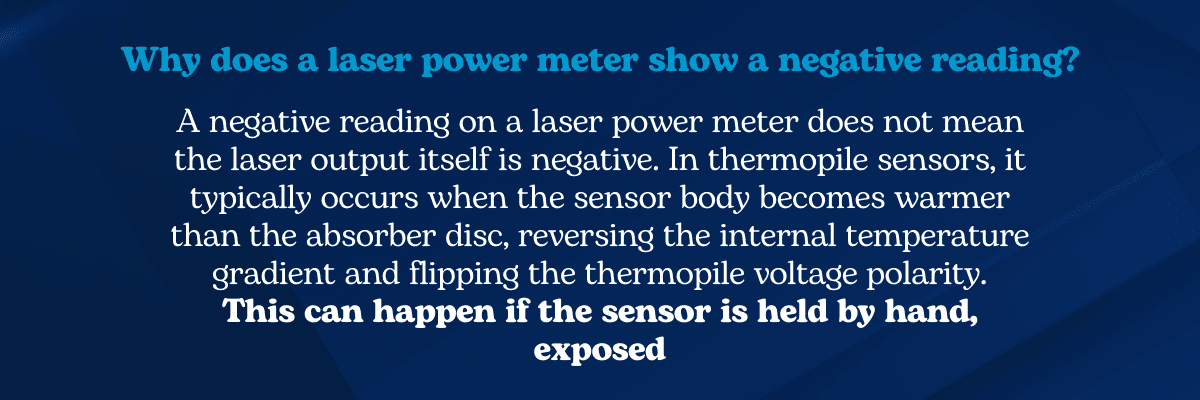
A negative reading on a laser power meter can be confusing during laser measurements. After all, lasers produce positive optical power, so how could a sensor display, for example, −5 W?
With thermopile-based laser power sensors, the answer usually lies in the temperature gradient inside the detector.
Thermal sensors measure laser power by converting heat flow from the absorber surface into a voltage signal. When a laser beam strikes the absorber disc, heat flows from it outward toward the sensor body, creating a temperature difference across the thermopile junctions.
If that temperature gradient reverses, for example when the sensor body becomes warmer than the absorber disc, the thermopile voltage polarity can reverse as well. The power meter may then temporarily display a negative reading, even though the laser output itself has not changed.
In other words, the laser is usually not the problem; the measurement conditions are.
How Thermopile Sensors Measure Laser Power
Thermal laser power sensors use a thermopile detector to measure heat flow generated by absorbed laser energy.
When the absorber disc heats up:
- the disc becomes hotter than the sensor body
- heat flows outward through the thermopile junctions
- the thermopile produces a voltage proportional to the temperature difference
This relationship can be simplified as:
Vout ∝ ΔT
Where:
- Vout = thermopile output voltage
ΔT = temperature difference between absorber and sensor body
The power meter converts this voltage into an optical power reading.
But if ΔT reverses, the voltage polarity reverses too, producing a negative measurement.
Visualizing Reverse Heat Flow
Below is a simplified diagram illustrating how thermal imbalance can cause a negative reading in a thermopile laser power sensor.
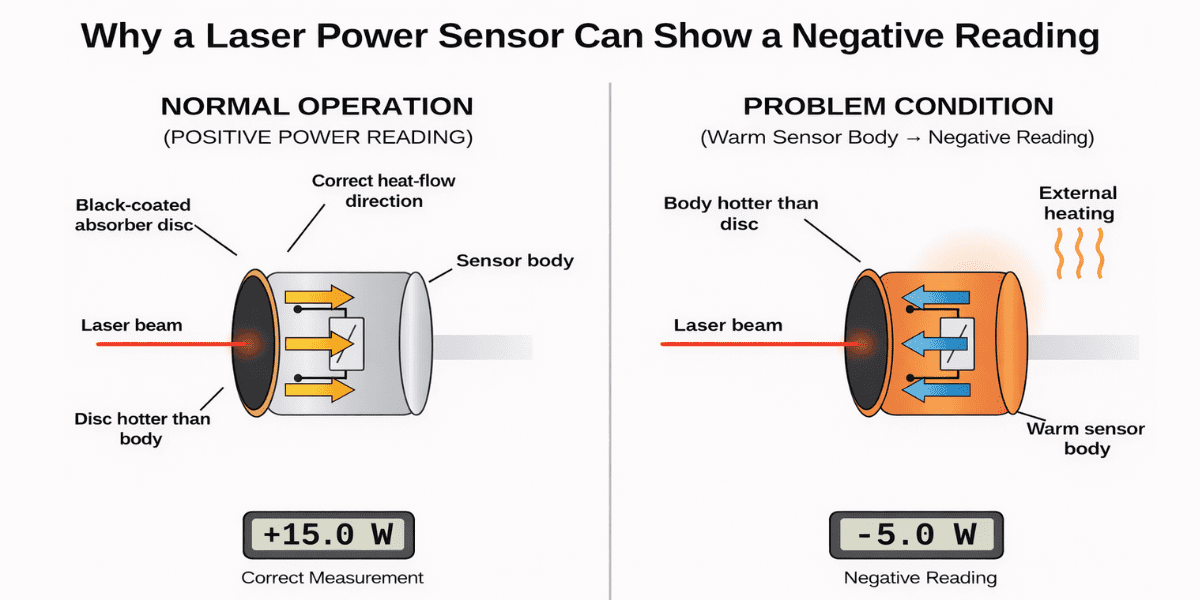
How to Read the Diagram
1️⃣ Normal operation
The laser beam heats the absorber disc.
Temperature relationship:
Tdisc > Tbody
ΔT > 0
Vout > 0
Heat flows outward toward (and eventually out of) the cooler sensor body, generating a positive power reading.
2️⃣ Thermal imbalance
If the sensor body becomes warmer than the absorber disc, for example after being held in a warm hand (for a sufficiently sensitive sensor), the temperature gradient reverses.
3️⃣ Reverse heat flow
Heat now flows inward from the sensor body toward the absorber disc.
Tbody > Tdisc
ΔT < 0
Vout < 0
The thermopile voltage polarity flips.
4️⃣ Result: negative reading
The power meter interprets this reversed voltage as a negative optical power measurement.
A Real Troubleshooting Example
This type of thermal imbalance is more common than many users expect. A customer recently contacted us with exactly this situation. Their thermal power sensor was displaying a negative power reading during measurements. They had already:
- re-zeroed the sensor
- verified the laser output
- confirmed the calibration
Everything appeared normal.
The issue turned out to be surprisingly simple.
During the measurement, the operator was holding the sensor in their hand.
That small amount of body heat warmed the sensor body enough to reverse the internal temperature gradient. Once the sensor was placed on a mount and allowed to thermally stabilize, the negative reading disappeared.
The sensor was working perfectly, but the measurement conditions were not.
Other Causes of Negative Laser Power Readings
Thermal imbalance caused by an external heat source is one common cause, but several other setup conditions can produce similar symptoms.
Beam spillover outside the aperture
If part of the beam strikes the sensor body instead of the absorber, it can heat the sensor body and affect the thermopile gradient, again causing heat to flow inward in the “negative” direction.
Ensure the beam is fully contained within the sensor aperture.
Nearby heat sources
Environmental heat sources can also influence thermal sensors, including:
- nearby equipment
- warm airflow
- external heating
Can Photodiode Sensors Show Negative Readings?
Yes, although for different reasons.
Some photodiode sensors use background subtraction to remove ambient light from the reading. If part of the beam (instead of only background light) reaches the background detector, the subtraction algorithm may produce an incorrect value, including a negative reading.
The mechanism differs from thermopile sensors, but the underlying issue is often the same: the measurement setup, not the laser itself.
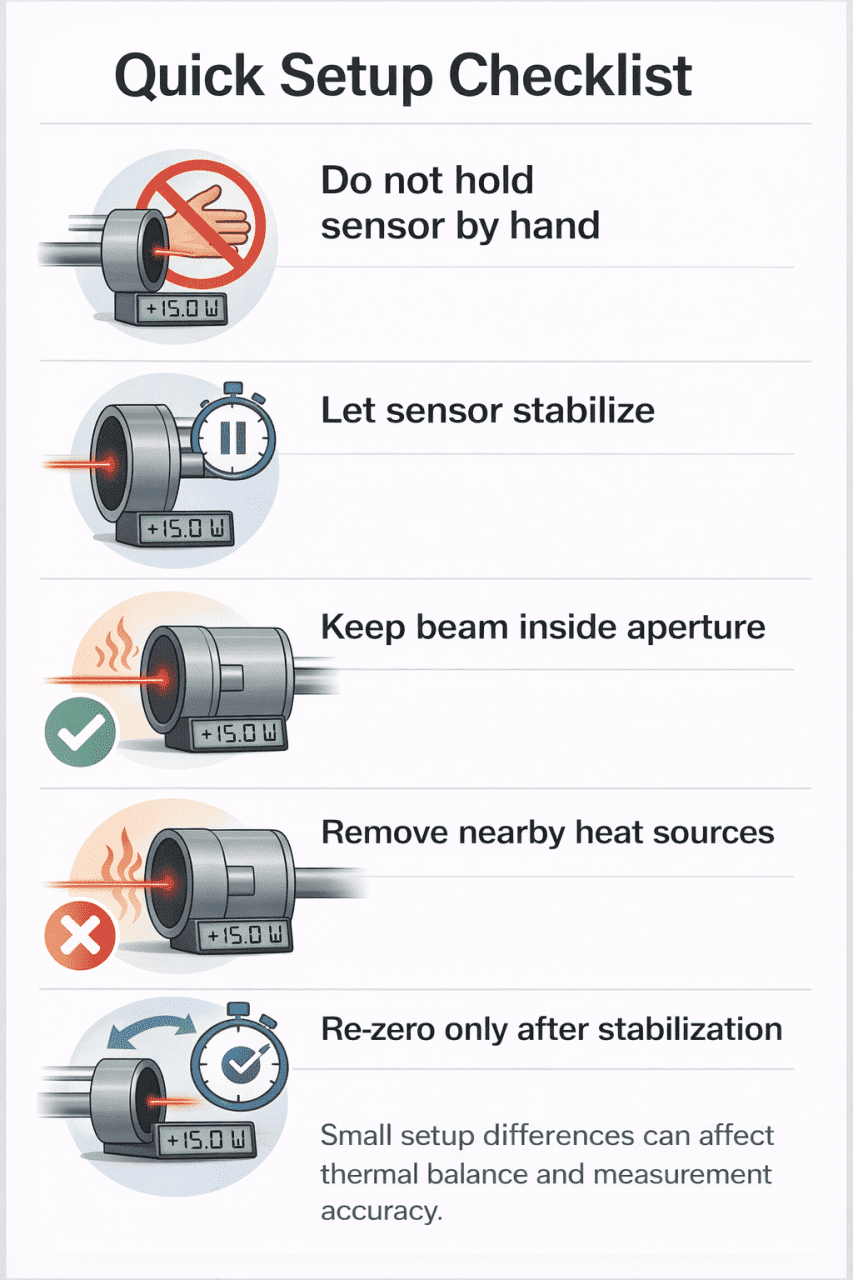
Troubleshooting Negative Laser Power Readings
If your laser power meter shows a negative reading, check the following:
- allow the sensor to reach room temperature
- avoid holding the sensor during measurement
- ensure the beam stays within the aperture
- remove nearby heat sources
- allow thermal stabilization before re-zeroing
- verify alignment and beam size
In most cases, correcting the measurement conditions resolves the issue immediately.
Lab Note
Thermal laser power sensors are sensitive to temperature gradients inside the sensor body. Even small temperature differences, such as holding the sensor in your hand for a few seconds, can temporarily affect the thermopile balance.
If you observe a negative reading, mount the sensor and allow it to reach thermal equilibrium before repeating the measurement.
Frequently Asked Troubleshooting Questions
Why is my laser power meter reading negative?
This usually occurs when the sensor body becomes warmer than the absorber disc, reversing the internal temperature gradient in the thermopile detector.
Can a laser produce negative power?
No. A negative reading does not mean the laser output is negative. It indicates a measurement artifact or setup condition.
Why does my thermopile sensor read negative after moving it?
Moving the sensor from a warm environment may cause the sensor body to remain warmer than the absorber. Until thermal equilibrium is restored, the sensor may briefly show a negative reading.
Choosing the Right Laser Power Sensor
If measurement issues persist, it may be worth confirming that the sensor type and aperture size match your beam parameters.
Different applications require different sensor configurations depending on:
- power level
- beam size
- cooling requirements
- system integration
You can explore available laser power sensors here.
If you want to learn more about how these detectors operate, see our overview of thermopile laser power sensors.
Key Takeaway
A negative laser power reading may look alarming, but it usually has a straightforward explanation.
Most often it results from:
- reversed thermal gradients inside the sensor
- beam spillover outside the aperture
- environmental heat sources
- background subtraction artifacts (for sensors having such a function)
Before assuming a sensor malfunction, check the measurement conditions and thermal equilibrium of the setup.
Sometimes the solution is as simple as letting the sensor stabilize or just removing nearby heat sources (such as not holding it in your hand).
Have you ever seen this happen?
- Negative power reading
- Sensor drifting during measurement
- Unexpected zero shift
Share your experience in the comments or contact us. We’d be interested to hear what caused it in your setup.