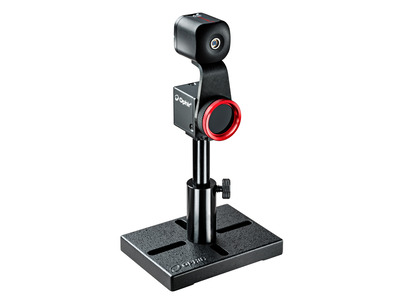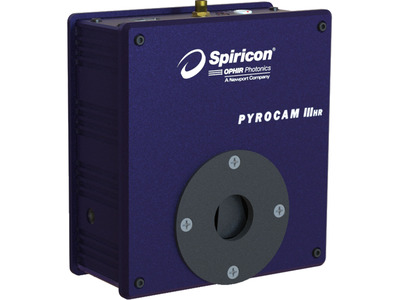
Pyrocam IIIHRプロファイラー
Pyrocam IIIHRプロファイラー
Pyrocam/パイロカムシリーズはレーザービームプロファイル計測用のカメラで、13nm-355nm、1.06-3000µmの波長を正確に捉えて解析します。ブロードバンドアレイ、ワイドダイナミックレンジ、高速データキャプチャーレートを備えたパイロエレクトリックアレイを特徴とし、CW及びパルスレーザー対応、NIRレーザー、CO2レーザー、THz光源の分析に最適です。
- 高解像度ピクセルサイズ80um、160X160パイロエレクトリックアレイ
- チョッパー内臓によりCWビームに対応
- GigE通信インターフェース
- BeamGageソフトウェア・プロフェッショナル版付属 すべての機能を見る

ソフトウェア
BeamGageプロフェッショナル
BeamGageプロフェッショナル版は、スタンダード版に含まれるすべての機能を備えております。全てのカメラに対応しており、ウインドウが仕切られて表示されるので1台のカメラでマルチビーム解析に対応、ユーザのアプリケーションに最適化できるよう.NETオートメーションインターフェースに対応しています。
仕様
- 製品名Pyrocam IIIHR
- 波長範囲13-355 nm and 1.06-3000 μm
- ビームサイズ1.6 to 12.3 mm
- 通信インターフェースGigE
- センサータイプPyroelectric Array
- 互換性のある光源CW, Pulsed up to 1KHzk
- 有効口径12.8 x 12.8 mm
- 有効ピクセル数160 x 160
- 有効ピクセルサイズ80 µm
- ダイナミックレンジ60 dB
- フレームレート (フル解像度)100 fps
- サチレーションレベルChopped Mode: 3.0 W/cm2 (25 Hz) and 4.5 W/cm2 (50 Hz)
Pulsed Mode: 15 mJ/cm2 - ソフトウェアBeamGage Professional
- CE コンプライアンスYes
- UKCA コンプライアンスYes
- 中国RoHS コンプライアンスYes
機能
Pyrocam パイロエレクトリックビームプロファイラーカメラの概要
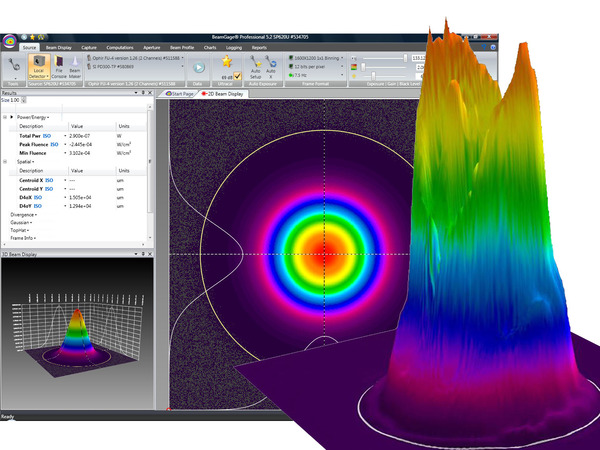
BeamGage® レーザープロファイリングソフトウェア
BeamGage® には、スタンダードとプロフェッショナルの 2 つのバージョンがあります。 それぞれは、ほぼすべての構成要件に適応するために、必要に応じて次の機能と柔軟性を追加することから構築されます。 このソフトウェアは、ISO 規格に従って同じパラメーターで厳密なデータ分析を実行し、多数のビーム空間特性の定量的測定を提供します。 これらの各パラメータの合否判定分析も適用できます。
BeamGage® ソフトウェアによる測定
- ISO 標準ビームパラメータ
- Dslit、Denergy、D4σ
- ピーク及び重心位置
- 長軸と短軸
- 楕円率、偏心率
- ビーム回転
- ガウシアンフィット
- フラットトップ分析/均一性
- ダイバージェンス
- ポインティングの安定性
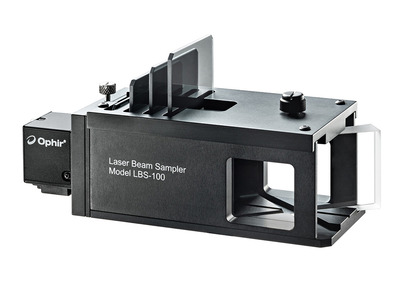
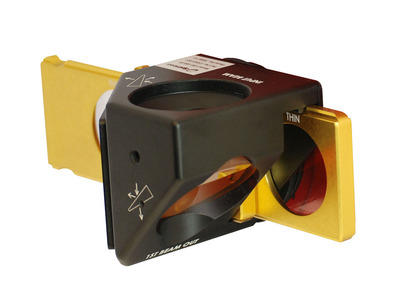
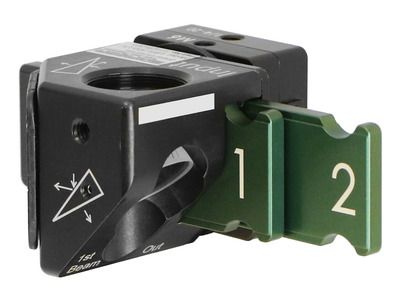
レーザービームプロファイラーアクセサリ―
レーザーでビームプロファイリングを測定する場合、測定に適した信号を得るためにビームを操作する場合があります。 場合によっては、ビームが小さすぎる場合は大きくするか、大きすぎる場合はビームを大きくして、ビームのサイズを正しく調整する必要があります。 多くの場合、レーザーパワーを特定のレベルまで下げて画像化する必要があります。 当社のレーザー ビームプロファイラーアクセサリを使用すると、適切なビームサイズとパワーレベルを実現できるため、可能な限り正確な測定を行うことができます。
BeamMaker でレーザービームを設計
BeamMaker は、理論的に生成されたビームを作成することにより、エンジニア、技術者、および研究者がビームのモーダル コンテンツを理解するのに役立ちます。 モード、サイズ、幅、高さ、強度、角度、およびノイズ コンテンツを指定して、BeamMaker で完璧なビーム プロファイルを設計します。次に、レーザーを設計どおりに実行するように構成し、実際のビームを理論的に導き出された測定値と比較します。 最終結果は、実際のビームが目的のビームからどれだけ変化するかについての知識となります。
レーザー測定とビームプロファイリングの基礎
レーザーのビームプロファイルは、アプリケーションに適した形状になっていますか? このビデオでは、レーザービームプロファイルの基礎を説明し、レーザービームをプロファイルする利点について説明します。 レーザービームプロファイルの前後を示すいくつかのケーススタディが提示されます。
産業用医療機器アプリケーションにおけるレーザー焦点スポットサイズの測定
このステップバイステップのチュートリアルでは、産業用シングルパルスレーザー溶接システムにカメラベースのビームプロファイリングシステムをセットアップする方法を説明します。 また、レーザーの集光スポットを同時に分析し、パルスごとのレーザーのエネルギーを測定し、時間的なパルス形状を測定する方法も示します。
よくある質問
- What is the saturation level of the PY IIIHR camera?回答
The saturation power for the Pyrocam IIIHR in chopped mode is 3.0W/cmᒾ (25Hz) and 4.5W/cmᒾ (50Hz) and the Saturation energy in pulsed mode is 15mJ/cmᒾ.
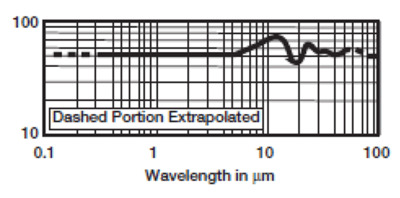
Follow this link and input your laser parameters and you can calculate the your power density. - At what wavelengths is the Pyrocam IIIHR most responsive?回答
- What is the distance from the front of the camera to the sensor?回答
The sensor is centered around 15.15mm, however, if the accuracy of its placement is critical, measurements are available upon request.
- What is the framerate of the Pyrocam IIIHR?回答
25/50Hz chopped mode, SS-100Hz pulsed mode consecutive, up to 1kHz pulse mode non-consecutive
The effective frame rates listed in BeamGage specification sheets are the maximum rates typically achievable in actual use. Frame buffering, image processing techniques, graphical displays, and mathematical computation all add degrees of overhead to achieving higher frame rates. This can be further limited by the available PC hardware. BeamGage features two modes, Frame Priority and Results Priority, which change how the system balances the work. Results Priority acquires a frame, performs any enabled image processing, performs all calculations and updates the graphical displays before accepting another frame from the camera. This mode is most useful when a temporal sequence of frames is not necessary and should always be enabled when logging. Frame Priority mode will allow the calculations and graphical display updates to be interrupted if another frame is ready from the camera before those operations are complete. This can be useful when collecting all frames at the maximum camera frame rate is necessary. - What beam sizes can I measure with the Pyrocam IIIHR?回答
1.6mm - 12.3mm
The accurate beam size minimum is derived by the pixel size of the camera. In order to get an accurate measurement, there must be enough coverage of pixels to ensure that illuminating another pixel will not over exaggerate the beam size.
Follow this link to find out more.


リソース
データシート
Pyrocamデータシート(456.3 kB, PDF) BeamGage Datasheet (647.6 kB, PDF)
図面&CAD
Pyrocam IIIHR図面(247.8 kB, PDF)
マニュアル
BeamGage User Guide(11 MB, PDF) BeamGageユーザーガイド - 日本語(6.3 MB, PDF) BeamGage User Guide - Chinese(7.3 MB, PDF) Pyrocam IIIHRユーザーガイド(1,022.3 kB, PDF)
カタログ
レーザービームプロファイラーカタログ(英語版)(7.6 MB, PDF) レーザーパワー & エネルギーメーター、レーザービームプロファイラーカタログ(英語版)(27.5 MB, PDF)
アプリケーションノート
ビデオ
1 Introduction to BeamGage Beam Profiling Camera(0:38) 2 Source Tab - Control Acquisition of Laser Data(7:42) 3 Beam Display Tab - Control Display Options(9:21) 4 Capture Tab - Customize Data Collection(7:46) 5 Computations Tab - Adjust Calculations(10:29) 6 Aperture Tab - Define Region of Interest(9:40) 7 BeamGage Charts, Logging and Reports(4:26) 8 BeamGage Setup Configuration(5:04) 9 BeamGage Beam Width Calculations(2:25) 10 BeamGage Ultracal and Apertures(5:35) 11 BeamGage Camera Resolution(4:15) 12 BeamGage Weak Beam Strategies(2:03) 13 BeamGage Tips and Tricks(4:41) 14 BeamGage Camera Setup Example(12:52) BeamGage Tutorial: Automation(10:29) BeamGage Tutorial: Beam Attenuation(4:25) BeamGage Tutorial: Camera Quick Start(3:41) BeamGage Tutorial: Getting Started with BeamGage(17:04) BeamGage Tutorial: Help System(3:28) BeamGage Tutorial: Power/Energy Measurement Integrated(5:44) BeamGage Tutorial: Spot Size and Divergence(7:52) BeamGage Tutorial: Tabs and Ribbons(13:23) BeamGage Tutorial: Ultracal(3:33)
テクニカルノート
レーザーセンサーとビームアナライザーにおけるパイロエレクトリック技術 ソリューション Pyrocam IIIのインストール 焦点距離拡散測定法 1つのディスプレイに複数のビームを表示するBeamGage Professionalパーティション ダイナミックレンジを理解する
技術記事
LIDAR 銃、精度、スピード違反切符 CCDカメラによるUV光のイメージング Which Camera Technologies Work Best for Beam Profiling Applications