StarViewer
Overview
StarViewer Feature Highlights
- Turn your smartphone or tablet into a laser power / energy meter
- Works a selection of Ophir devices
- Display measurements as line graph, simulated analog needle, or full screen numeric display with statistics
- Screen Capture and Share built into the application
- Measurement settings fully configurable to match your laser measurement needs
- Great for field technicians that make service calls
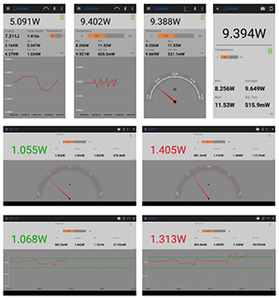
StarViewer brings laser power and energy measurement to your smartphone / tablet from our selected devices. It is an intuitive easy-to-learn application. Just install it, connect to your device, and get started immediately.
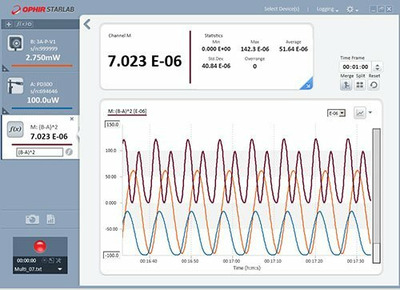
StarViewer allows you to display the measurement in a time-based line graph, as a needle display, or large numeric display with statistics.
You can also perform a screen capture and share it. Great for field technician's reporting results back to the lab.
StarViewer (Android app) v3.10.2
Overview:
Connectivity:
StarViewer can be used with any standard Ophir Thermopile, Photodiode, or Pyroelectric PE-C sensor
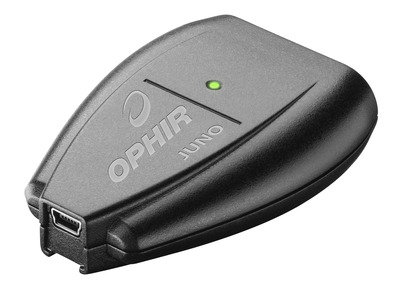
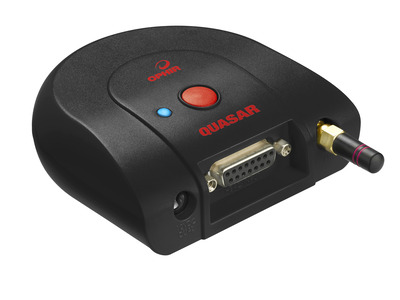
StarViewer can be used with the Juno via your device's USB on-the-go (OTG) port, or with the Quasar and Ariel via Bluetooth.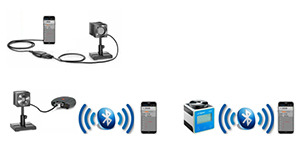
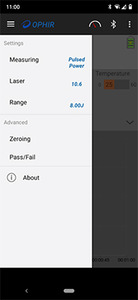
The measurement settings are fully configurable by opening the settings panel at the left of the screen:
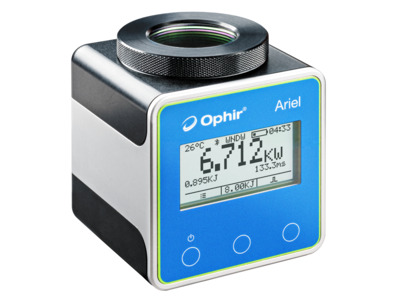
For use with the Ariel:
Requirements:
Ophir StarViewer Android App
Overview:
- Available on Google Play (Android version 9 or higher)
- Works with Ariel/Juno/Quasar devices
- StarViewer brings laser power and energy measurement to your Smartphone / Tablet from our Ariel, Juno & Quasar devices
Connectivity:
StarViewer can be used with any standard Ophir Thermopile, Photodiode, or Pyroelectric PE-C sensor
StarViewer can be used with the Juno via your device's USB on-the-go (OTG) port, or with the Quasar and Ariel via Bluetooth.
The measurement settings are fully configurable by opening the settings panel at the left of the screen:
For use with the Ariel:
- Bluetooth: Minimum version 4.0 required, 5.1 recommended
- Ariel firmware version 1.40 or higher
- StarViewer supports and leverages Ariel's measurement capabilities to display Continuous Power, Single Pulse Energy, and Pulsed power together with Pulse width, Battery level and temperature
- Note: The Ariel you are using might have a lower F/W version, please update it to v1.40
- Smartphone / tablet with an OTG port, capable of providing 100mA or more downstream current
- Optional - OTG adapter - from USB connector on your device to USB Type A Female Adapter (for Juno cable)
- Juno firmware version 1.39 or higher
- Bluetooth capability
- Quasar version 1.25 or higher
- PIN code for Bluetooth pairing is 1234
Requirements:
- Android version 9 or higher
Ophir StarViewer Android App
StarViewer (iOS app) v1.2.2
Overview: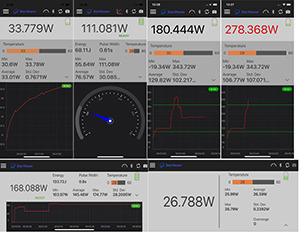
Connectivity:
StarViewer can be used with Ariel via Bluetooth
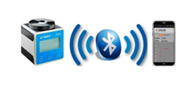
The measurement settings are fully configurable by opening the settings panel at the left of the screen:
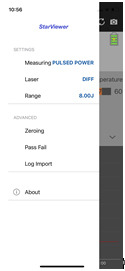
For use with the Ariel:
Ophir StarViewer iOS App
Overview:
- Available on Apple's App Store (iPhone XS / iOS version 18 or higher)
- Works with Ariel
- StarViewer brings laser power and energy measurement to your Smartphone / Tablet from our Ariel device
Connectivity:
StarViewer can be used with Ariel via Bluetooth
The measurement settings are fully configurable by opening the settings panel at the left of the screen:
For use with the Ariel:
- Bluetooth: Minimum version 4.0 required, 5.1 recommended
- Ariel firmware version 1.40 or higher
- StarViewer supports and leverages Ariel's measurement capabilities to display Continuous Power, Single Pulse Energy, and Pulsed power together with Pulse width, Battery level and temperature
- Note: The Ariel you are using might have a lower F/W version, please update it to v1.40
- iPhone XS / iOS version 18 or higher
Ophir StarViewer iOS App
Resources
How to Use the StarViewer Android App to Operate the Ariel
Documentation
StarViewer User Note(711 kB, PDF) StarViewer Android Release Notes(117.9 kB, PDF) StarViewer iOS Release Notes(116.5 kB, PDF)